Waiting Job Invitations

Hi,
I checked all job invitations and send proposal for most of them, but I still see in my dashboard "9 Job Invitations Waiting" although there is not any new or unseen invitation. Is it possible to see "waiting" warning when there is more than zero new invitations only?
-
Official comment

Many thanks for your suggestion. I will pass it on to our product team.
Please let me know if I can help you with anything else.
Comment actions -

Hi Krishna,
Congrats! This means that you have been invited to send a proposal to this particular project. You can learn more about the project by clicking on the number (1) of 'project invitations waiting' at the top of your dashboard, and then on the title of the project. If you follow these steps, you will land on the project page: https://www.peopleperhour.com/freelance-jobs/marketing-pr/press-media-relations/loo
There, you can read about the project description, requirements and budget, and if this is a project you would like to work on, you can send your proposal by clicking on the 'Send Proposal' button at the top right of the page.
Before you start writing it, have a look at our blog post and follow these 6 tips on how to boost your proposal and increase your chances of getting it recommended:
https://www.peopleperhour.com/blog/for-freelancers/how-to-increase-your-chances-of-achieving-a-recommended-proposal/At your disposal in case you have more questions.
Wishing you best of luck!
Yannis
Product Manager @PeoplePerHour -

Hi Yannis,
In my case, the project invitation message is appearing on dashboard that I had already submitted my proposal and resume to. I can't see an option to private message client because their profile is not verified. I tried to send a new proposal but i got the following warning message but the page responds nothing when i clicked OK. Please suggest what is the expected action from me in this case.
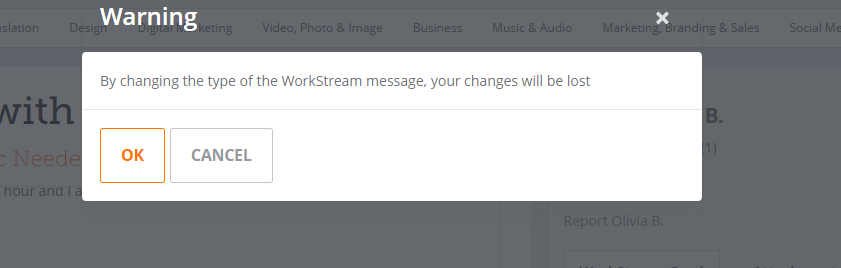
Thanks

Please sign in to leave a comment.
Comments
5 comments